Ragdoll Sandbox
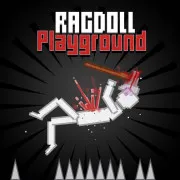
Ragdoll Sandbox lets you design areas, organize things, and experience ragdoll movement. Compose your own scenarios and uncover unexpected outcomes.
Ragdoll Sandbox has no "right answer."
Your perspective must change first when joining Ragdoll Sandbox.
You needn't ask:
What mission must I complete?
Start with questions like
- When I set two things here, what happens?
- How will the character react to terrain changes?
- How long can a chain of encounters last?
What if I modify one component in the same setup?
This embodies sandbox gaming.
The game doesn't require a single solution. Rearranging the environment can start a fresh experiment.
Adding scenarios layer by layer
First layer: terrain
- Decide where the ragdoll will work.
- Movement can be observed in a simple area with few surfaces. You may design more complicated environments as you feel comfortable.
- The terrain dictates mobility, distance, and interaction sites.
Layer 2: movement
- Next are components that move characters or objects.
- Adding too much is unnecessary. Even one movement can help you grasp physics.
Third layer: reactions
- Final elements make the experiment exciting.
- Chain reactions start when one component affects another. The sandbox experience differs from pre-designed levels here. You create stuff while you play, not just finish it.
Sandbox worlds: three approaches
Ragdoll Sandbox has many methods. The game description promises free-form sandbox play, mini-games, and pre-built locations.
- Builder: Environment preparation takes up much of your time. The goal is to create an interesting setup, not to finish quickly.
- The Tester: Physics reactions intrigue you. Each session asks, "What happens if I change one element?"
- Explorer: You prefer exploring pre-made surroundings over developing. Mix and match these three playstyles. Players may start as explorers and then switch to Sandbox mode to replicate a scenario.
In Ragdoll Sandbox, you can experiment freely without being required to achieve the same goal each time.
- ASWD to move
- Space to jump
- C to crouch
- T to spawn
- Tab - Build mode
- F - Item Menu
- Press R to trigger ragdoll fall actions; you can combine WASD to launch the falls further. Press R again to reset the ragdoll.
- E or V to camera
Ragdoll GamesSports GamesPlatform Games